
Quick Verdict
If you want a plug-in thermal camera for an Android phone with 256×192 resolution and a smooth 25Hz refresh rate, the TOPDON TC001 is a good choice, especially for home inspection-style jobs (insulation checks, HVAC spotting, electrical hot spots).
Skip it if you need iPhone/iPad compatibility (the TC001 is Android + Windows only) or if you want “perfect” visible/thermal alignment without fiddling.
Disclosure
Disclosure: A representative from TOPDON sent me one of these products to try out, but I received no other compensation for writing this review.
What it is
The TOPDON TC001 is a USB-C plug-in thermal imager that turns an Android phone/tablet (or a Windows laptop) into a thermal camera using TOPDON’s app.
TOPDON positions it for practical diagnostics, including insulation and leak checks, HVAC, electrical troubleshooting, and identifying hot and cold spots.
How I tested / used it
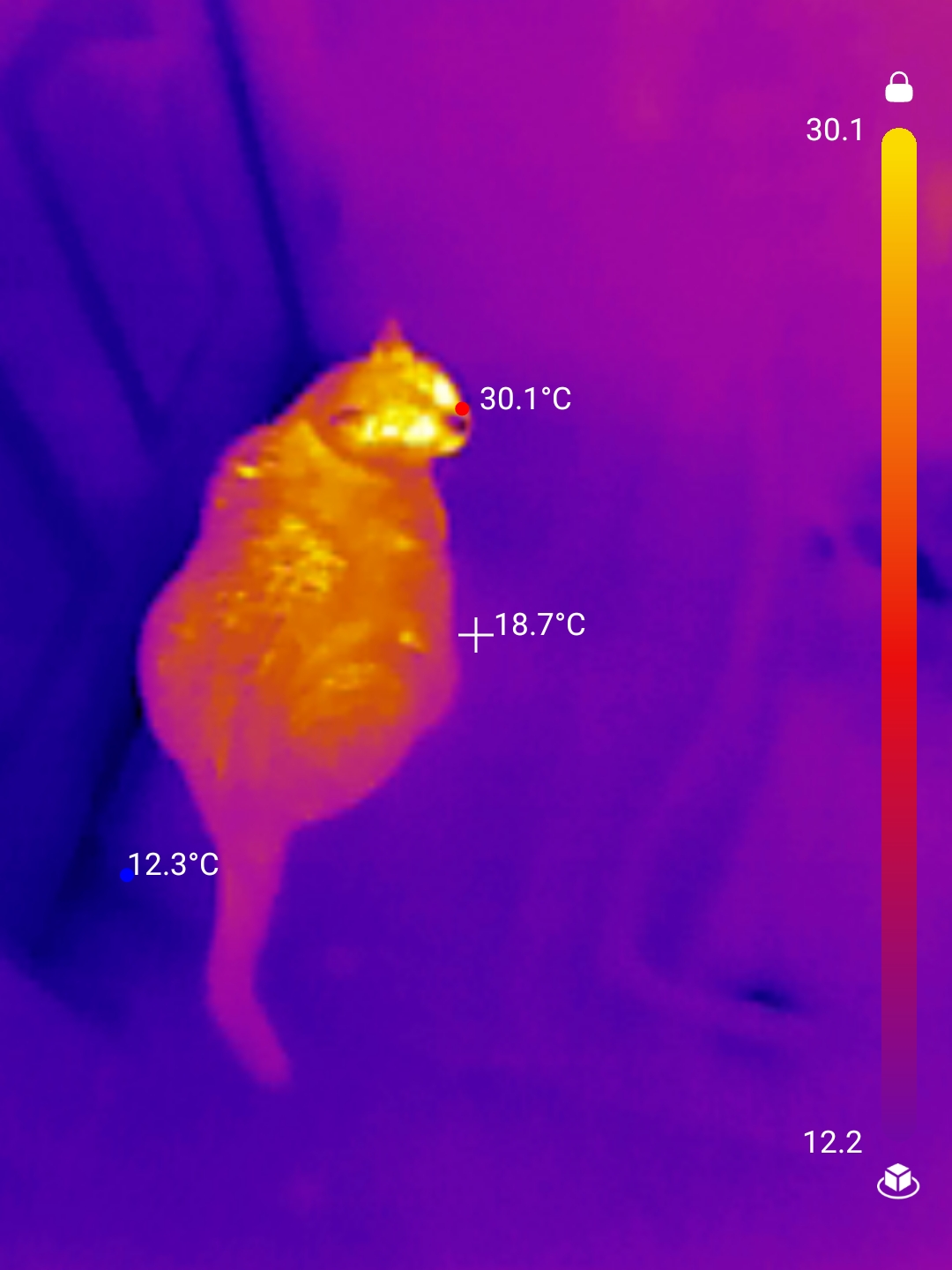
I actually get more use out of this tiny thermal imager than I thought I would. I found it particularly useful for finding areas in my home that needed attention as the weather began to get colder, and I believe the work I did saved me quite a bit of money. I’ve also used it to find my cats in a dark room, as they like to hide.
Key specs (published)
- IR resolution: 256×192
- Frame rate: 25Hz
- Temperature range: -20°C to 550°C (-4°F to 1022°F)
- Accuracy: ±2°C or ±2% (TOPDON also notes lower variance under certain conditions)
- Thermal sensitivity (NETD): listed as <40mK on product pages; a sell sheet lists <50mK @25°C, F#1.0, 25Hz
- Field of view: 56°×42°; focal length 3.2mm; spectral range 8–14μm
- Size/weight: 71×42×14mm, 30g
- Power draw: 0.35W (powered by the phone/device)
Compatibility notes (read this before you buy)
- Not for iOS: TOPDON’s own FAQ says TC001 is only compatible with Android devices and Windows computers.
- Your phone needs OTG support, and you may need to enable OTG in settings (TOPDON warns it won’t work on phones without OTG).
- TOPDON’s troubleshooting mentions checking Android 6.0+.
- Phone cases can interfere—TOPDON notes some cases won’t fit and you may need the included extension cable.
Pros
- 256×192 + 25Hz is a nice combo for scanning and panning without the “slideshow” feel.
- Wide temperature range up to 550°C / 1022°F for many household + automotive heat checks.
- Low power draw (0.35W) and no separate battery to charge.
- Handy analysis tools: spot/line/area, alarms, palettes, waveform graph.
- Clear “reality check” FAQ: it’s long-wave IR (8–14μm) and is for surface temps.
Cons
- No iPhone/iPad support (for iOS, you’ll need a different model).
- Requires USB-C + OTG; some phones/settings can be finicky.
- “Dual fusion” alignment can be annoying because the visible camera is your phone camera (not co-located with the thermal sensor).
- No IP rating listed and no tripod screw hole listed on TOPDON’s spec table—so don’t assume ruggedness or easy mounting.
- The Google Play listing includes data-safety disclosures (review those before installing).
Who should buy it
- Android users who want better-than-entry resolution (256×192) without jumping to a dedicated handheld.
- Homeowners/DIYers doing insulation drafts, water-leak hunting, or basic electrical hot-spot checks.
- Anyone who values 25Hz for smoother scanning.
Who shouldn’t
- Anyone on iPhone/iPad (TC001 is not for you).
- People expecting thermal imaging to “see through” walls/glass/water—TOPDON explicitly says it can’t (it measures surface temperature).
- Users who need a rugged, weatherproof tool (no IP rating is stated).
Bottom line
The TOPDON TC001 looks like a practical pick if you’re on Android, your phone supports USB-C + OTG, and you want 256×192 thermal resolution with 25Hz for smoother scanning.